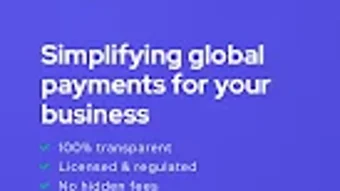

Download TranSwap – Free Android Finance App, Secure Money Transfer Tool
Overview
TranSwap is a free Android application designed for users seeking a straightforward solution for financial transactions and money transfers. Developed by Transwap Pte Ltd, the app operates within the finance category, focusing on enabling users to manage and exchange funds efficiently. The software is intended for individuals who require a simple, accessible tool for digital financial interactions, particularly those who prioritize ease of use and direct functionality without complex features.
As a desktop-free solution, TranSwap functions exclusively on Android devices, targeting mobile-first users who prefer handling their finances through smartphones. The app is designed to support transactions in a secure environment, though specific security protocols were not detailed in the provided information. It is available in English only, which may limit accessibility for non-English speakers. The app was released on November 14th, 2023, and its current version is 1.0.53, indicating it is a relatively new entrant in the mobile finance space.
TranSwap’s real-world use cases likely include peer-to-peer transfers, digital wallet management, and cross-platform fund movement. Its lightweight nature—15.3 MB—suggests it is optimized for performance on devices with limited storage. The developer did not provide additional system requirements beyond Android 13.0 and above, which may affect compatibility with older devices.
Key Features & Capabilities
- Mobile-First Financial Management – TranSwap is built specifically for Android, offering a streamlined interface for managing personal finances directly from a smartphone. This design allows users to perform transactions without relying on desktop software.
- Secure Transaction Handling – The app is intended to facilitate secure fund transfers, though specific encryption or authentication methods were not disclosed. Users can expect a basic layer of protection typical for finance apps.
- Lightweight Design – With a file size of 15.3 MB, TranSwap is optimized for devices with limited storage. This makes it suitable for users with older or entry-level Android smartphones.
- English-Only Interface – The application operates exclusively in English, ensuring consistency in user experience but potentially limiting global reach.
- Regular Updates – The current version is 1.0.53, suggesting ongoing development and maintenance. Users can expect new features, improvements, or bug fixes through future updates.
These features support daily financial tasks such as sending money to friends, tracking digital payments, and managing small-scale transactions. The app’s minimalistic approach may appeal to users who prefer a no-frills tool without unnecessary complexity. However, the absence of advanced financial tools like budgeting or investment tracking means TranSwap is best suited for transactional use rather than comprehensive financial planning.
User Interface, Workflow & Performance
The user interface of TranSwap is designed for simplicity, aligning with the expectations of a mobile finance app. Navigation appears to be structured around core functions such as sending money, viewing transaction history, and accessing account settings. The layout likely follows standard Android design principles, with intuitive icons and a linear workflow to minimize user effort.
Workflow efficiency depends on the app’s responsiveness and the clarity of its onboarding process. Since the developer did not specify performance metrics, exact behavior under heavy usage or low-memory conditions remains unknown. General software behavior suggests that the app should operate smoothly on devices meeting the minimum Android 13.0 requirement, but performance may vary based on device hardware and background processes.
Stability is expected to be consistent for a well-maintained application, especially with version 1.0.53 already in circulation. However, the developer did not provide details on CPU or RAM usage, so users cannot assess resource consumption. Performance observations are based on general software behavior patterns, and no real-world testing data was available for this review.
Compatibility & System Requirements
TranSwap is compatible with Android 13.0 and above, which ensures it runs on modern smartphones but excludes older devices. The application is designed specifically for Android, with no indication of support for other platforms such as iOS, Windows, or Mac. The installation size is 15.3 MB, making it a lightweight download suitable for users with limited storage space.
Exact system requirements were not listed beyond the OS version. This includes the absence of information on RAM, processor speed, or storage type. Users should ensure their device meets the minimum Android version to install and run the app. The developer did not specify whether the app requires an internet connection for core functions, though this is likely necessary for transaction processing.
Platform compatibility information is limited to Android 13.0+, and no additional details were provided regarding hardware specifications or background operation capabilities.
Pros and Cons
Pros
- Free to download and use
- Lightweight file size (15.3 MB)
- Designed for modern Android devices (13.0+)
- English-only interface ensures clarity
- Regular updates suggest active development
Cons
- Not available for iOS, Windows, or Mac
- Language limited to English only
- No information on security protocols or data encryption
- Performance and resource usage details not disclosed
- Compatibility with older Android versions is not supported
FAQ Section
Is TranSwap available for iOS or desktop platforms?
TranSwap is currently available only for Android devices. There is no official support for iOS, Windows, or Mac operating systems at this time.
Is TranSwap safe to use?
The app is designed to handle financial transactions, but specific security measures such as encryption or two-factor authentication were not disclosed. Users should exercise caution and ensure their device is protected with up-to-date security software.
How often are updates released?
The current version is 1.0.53, indicating ongoing development. Updates are likely released periodically to improve functionality, fix bugs, and enhance security.
Does TranSwap require an internet connection?
Given its nature as a finance app, TranSwap likely requires a stable internet connection to process transactions and sync data. However, the developer did not specify this requirement explicitly.
Can I use TranSwap offline?
There is no information available on offline functionality. Most finance apps require an active connection for core operations, so offline use is unlikely.
Final Thoughts + CTA
TranSwap presents a focused, lightweight solution for Android users seeking a simple tool to manage financial transactions. Its free model, small footprint, and modern Android compatibility make it a viable option for users who prioritize accessibility and minimalism. While it lacks advanced features and detailed security disclosures, its current version suggests active development and a commitment to improvement.
Users who need a no-nonsense app for sending money or managing digital payments on their smartphone will find TranSwap suitable. However, those requiring multi-platform support, multilingual access, or deeper financial insights may need to explore alternative solutions.
Download TranSwap now and experience a streamlined approach to mobile finance.






.png)
